u-blox GNSS Aiding IMX
The IMX can be configured for use with u-blox GNSS receivers, such as the ZED-X20 and ZED-F9P. This can be done using either the EvalTool GNSS Setting tab or the IMX DID_FLASH_CONFIG.ioConfig and DID_FLASH_CONFIG.RTKCfgBits fields.
| GNSS Ports | Value |
|---|---|
| GNSS Source | serial 0, serial 1, or serial 2 |
| GNSS Type | ublox |
| GNSS1 Timepulse | Disable or IMX pin connected to 1st ZED PPS |
| GNSS2 Timepulse | Disable or IMX pin connected to 2nd ZED PPS |
| RTK Rover | Value |
|---|---|
| GNSS RTK Mode | Precision Position or Compass |
| RTK Base | Value |
|---|---|
| Serial Port 0 (Single GNSS only) | GNSS1 - RTCM3 |
| USB Port | GNSS1 - RTCM3 |
The following sections detail how to interface and configure the IMX for operation using the ZED. See RTK precision positioning and RTK compassing for RTK operation principles.
Rugged-3
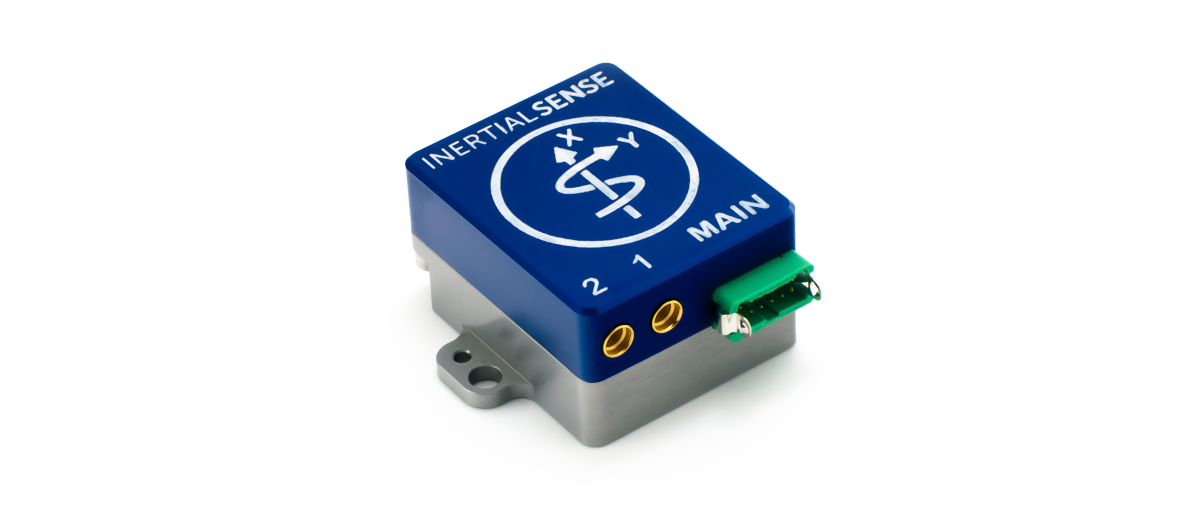
The Rugged-3 INS contains either a single or dual ZED receiver onboard, supporting RTK positioning and compassing. GNSS1 and GNSS2 are connected to serial ports 1 and 0 respectively on the IMX.
Single GNSS Settings
Use the following IMX settings with the Rugged-3-G1 (single GNSS receiver). These settings can be applied either using the EvalTool GNSS Settings tab or the IMX DID_FLASH_CONFIG.ioConfig and DID_FLASH_CONFIG.RTKCfgBits fields.
GNSS Ports
Set the GNSS1 source to Serial 1 and type to ublox.
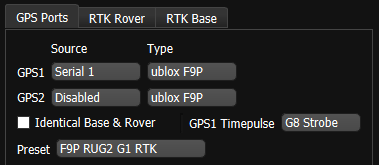
| DID_FLASH_CONFIG | Value |
|---|---|
| ioConfig (firmware >=1.8.5) | 0x0244a040 |
RTK Rover
Enable RTK rover mode by selecting ZED Precision Position.
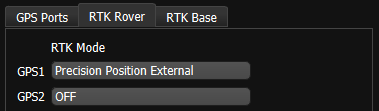
| DID_FLASH_CONFIG | Value |
|---|---|
| RTKCfgBits | 0x00000002 |
RTK Base
To configuring a system as an RTK base, disable the RTK Rover by setting the GNSS1 and GNSS2 RTK Mode to OFF, and select the appropriate correction output port on the IMX.
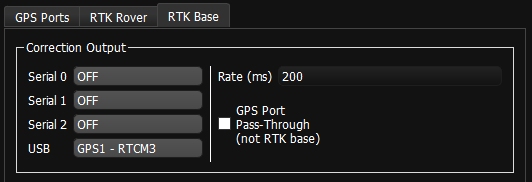
| DID_FLASH_CONFIG | Value |
|---|---|
| RTKCfgBits | 0x00000900 |
Dual GNSS Settings
Use the following IMX settings with the Rugged-3-G2 (dual GNSS receivers). These settings can be applied either using the EvalTool GNSS Settings tab or the IMX DID_FLASH_CONFIG.ioConfig and DID_FLASH_CONFIG.RTKCfgBits fields.
GNSS Ports
Set GNSS1 and GNSS2 to source Serial 1 and Serial 0. the serial port that the ZED is connected to and type to ublox.
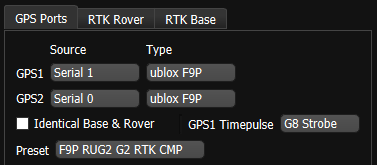
| DID_FLASH_CONFIG | Value |
|---|---|
| ioConfig (firmware >=1.8.5) | 0x025ca040 |
RTK Rover
Enable RTK rover mode by selecting Precision Position External. GNSS1 is designated for Precision Position External and GNSS2 for ZED Compass settings. Either or both can be enabled at the same time.
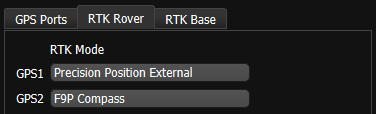
| DID_FLASH_CONFIG | Value |
|---|---|
| RTKCfgBits | 0x00000006 |
RTK Base
To configuring a system as an RTK base, skip the RTK rover settings, and select the appropriate correction output port on the IMX. Notice that IMX serial port 0 and 1 may be unavailable and occupied by the dual ZED receivers.
| DID_FLASH_CONFIG | Value |
|---|---|
| RTKCfgBits | 0x00000900 |
Rugged-3-IMX-5 to ZED
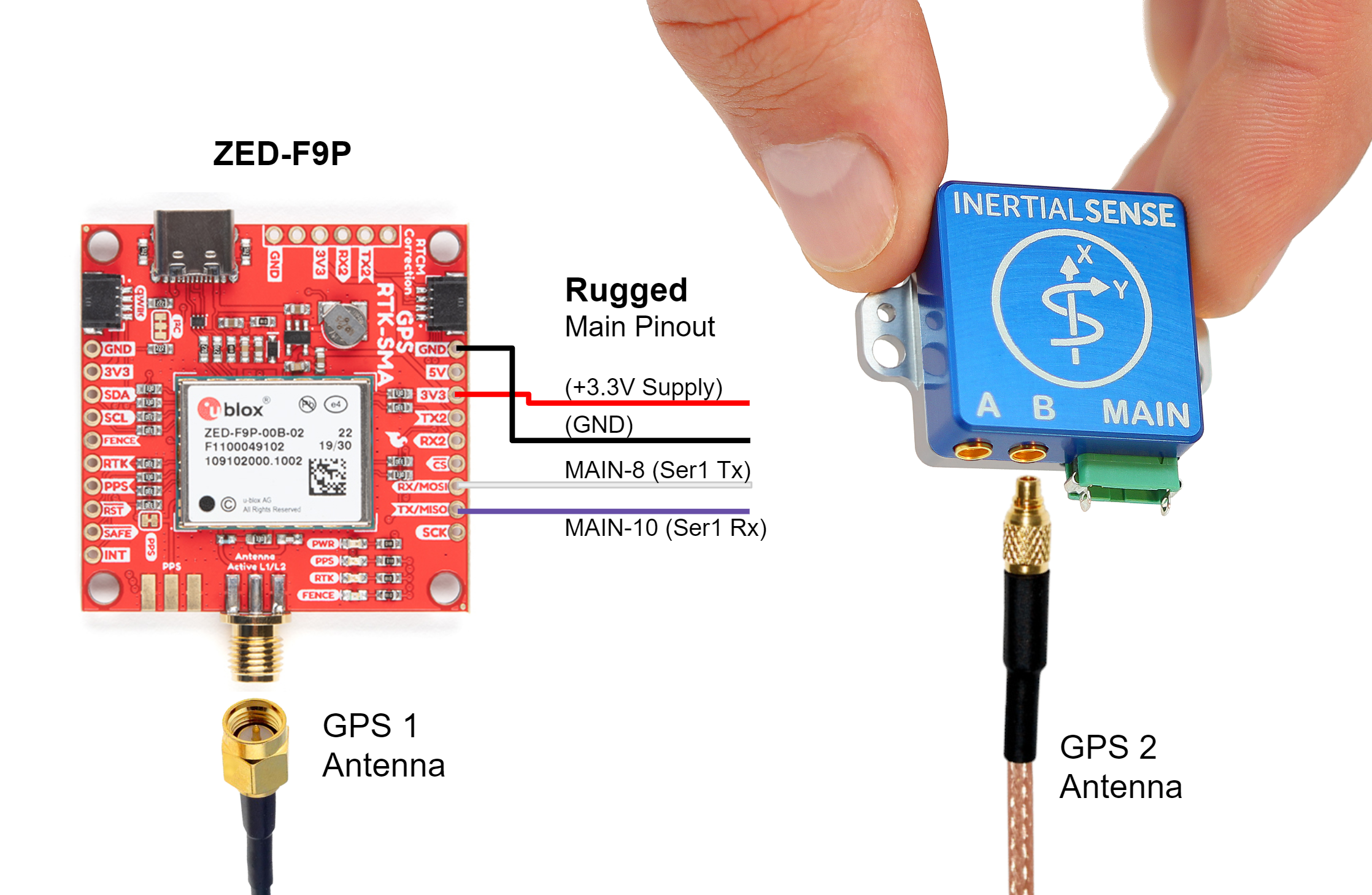
A +3.3V or +5V supply is needed to power the ZED when using the Rugged-1 IMX. A USB +5V supply can be used if available. The Rugged-1 must be configured for Serial Port 1 TTL voltage. See hardware configuration for Rugged v1.0 or Rugged v1.1 for details.
Settings
See the single GNSS settings.
EVB-2 to ZED Interface
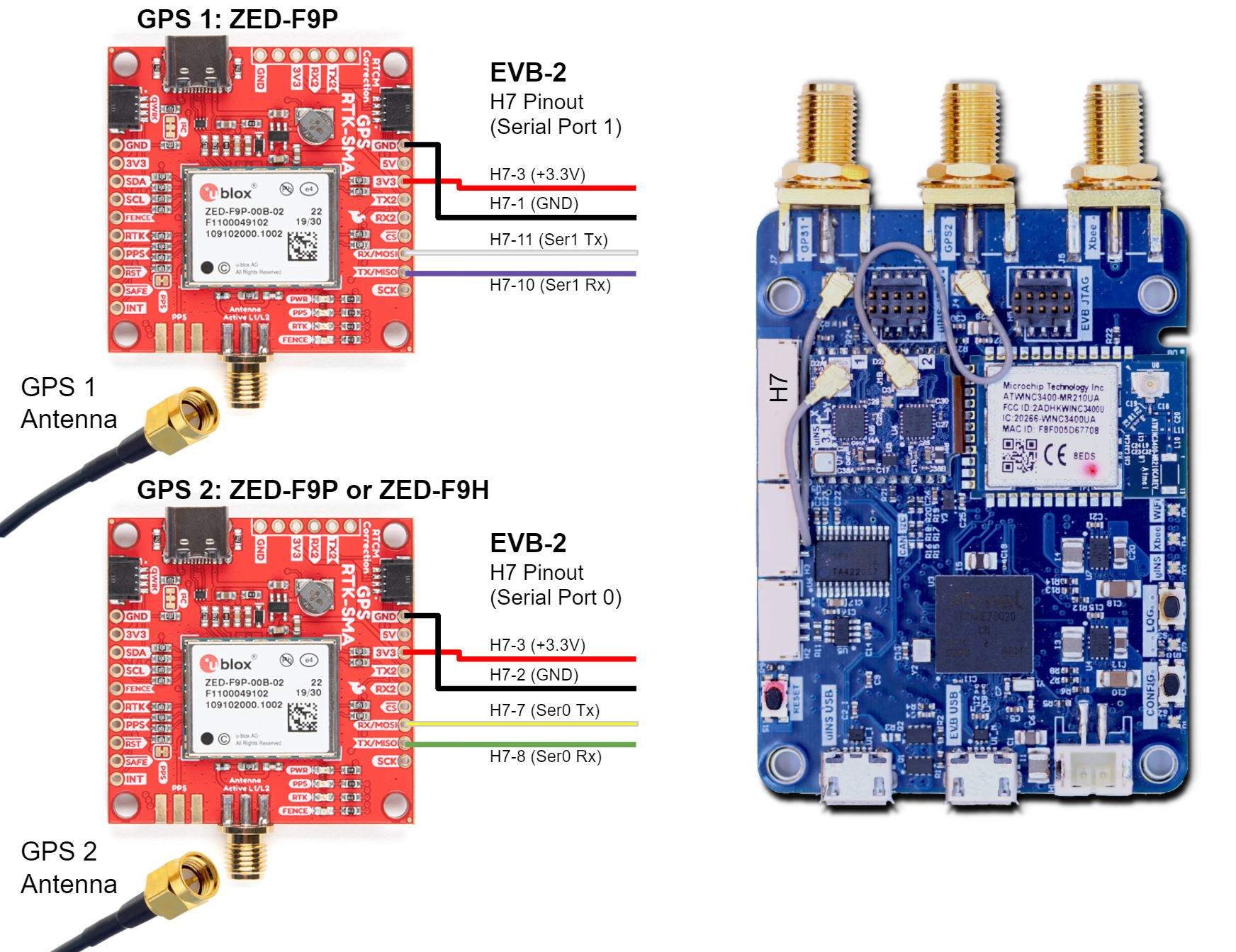
Use the following wiring when connecting a single ZED receiver to the EVB-2. GNSS1 is typically routed to serial port 1 and provides PPS to the IMX.

EVB-2 to Dual ZED Interface
For dual-receiver RTK compassing setups, connect GNSS1 and GNSS2 as shown below. Verify both receivers share the same reference clock and PPS to maintain synchronization.
RTK Base Messages
In RTK mode, the ZED requires RTCM version 3 messages supporting DGNSS according to RTCM 10403.3.
ZED Rover Messages
The ZED operating in RTK rover mode can decode the following RTCM 3.3 messages.
| Message type | Description |
|---|---|
| RTCM 1001 | L1-only GPS RTK observables |
| RTCM 1002 | Extended L1-only GPS RTK observables |
| RTCM 1003 | L1/L2 GPS RTK observables |
| RTCM 1004 | Extended L1/L2 GPS RTK observables |
| RTCM 1005 | Stationary RTK reference station ARP |
| RTCM 1006 | Stationary RTK reference station ARP with antenna height |
| RTCM 1007 | Antenna descriptor |
| RTCM 1009 | L1-only GLONASS RTK observables |
| RTCM 1010 | Extended L1-only GLONASS RTK observables |
| RTCM 1011 | L1/L2 GLONASS RTK observables |
| RTCM 1012 | Extended L1/L2 GLONASS RTK observables |
| RTCM 1033 | Receiver and antenna description |
| RTCM 1074 | GPS MSM4 |
| RTCM 1075 | GPS MSM5 |
| RTCM 1077 | GPS MSM7 |
| RTCM 1084 | GLONASS MSM4 |
| RTCM 1085 | GLONASS MSM5 |
| RTCM 1087 | GLONASS MSM7 |
| RTCM 1094 | Galileo MSM4 |
| RTCM 1095 | Galileo MSM5 |
| RTCM 1097 | Galileo MSM7 |
| RTCM 1124 | BeiDou MSM4 |
| RTCM 1125 | BeiDou MSM5 |
| RTCM 1127 | BeiDou MSM7 |
| RTCM 1230 | GLONASS code-phase biases |
| RTCM 4072.0 | Reference station PVT (u-blox proprietary RTCM Message) |
ZED Base Output Messages
The ZED operating in RTK base mode will generate the following RTCM 3.3 output messages depending on whether the satellite constellation have been enabled. See the Constellation Selection for information on enabling and disabling satellite constellations.
| Message Type | Period (sec) | Description |
|---|---|---|
| RTCM 1005 | 2 | Stationary RTK reference station ARP |
| RTCM 1074 | 0.4 | GPS MSM4 |
| RTCM 1077 | 0.4 | GPS MSM7 |
| RTCM 1084 | 0.4 | GLONASS MSM4 |
| RTCM 1087 | 0.4 | GLONASS MSM7 |
| RTCM 1094 | 0.4 | Galileo MSM4 |
| RTCM 1097 | 0.4 | Galileo MSM7 |
| RTCM 1124 | 0.4 | BeiDou MSM4 |
| RTCM 1127 | 0.4 | BeiDou MSM7 |
| RTCM 1230 | 2 | GLONASS code-phase biases |
NTRIP Messages
The NTRIP server must provide the necessary subset of RTCM3 messages supported by the IMX-RTK. See the NTRIP page for an overview of NTRIP.
ZED Firmware Update
The following section describes how to view the current GNSS firmware version and how to update the firmware on the u-blox ZED GNSS receiver through the IMX.
GNSS Firmware Version
The current GNSS firmware version can be read through the DID_GNSS1_VERSION and DID_GNSS2_VERSION messages.
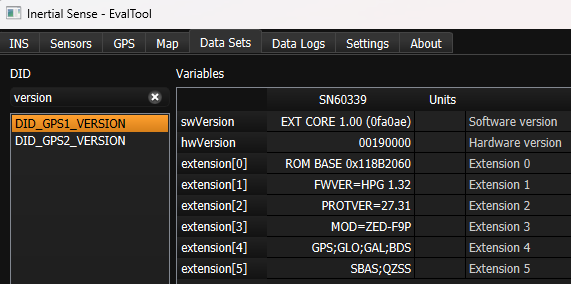
Firmware Update
The following steps describe how to update the u-blox ZED firmware using the u-blox U-Center application. The U-Center application and firmware binary can be downloaded from the u-blox ZED documentation and resources webpage.
-
Enable IMX Serial Bypass - Send the system command (
DID_SYS_CMD)SYS_CMD_ENABLE_SERIAL_PORT_BRIDGE_USB_TO_GPS1orSYS_CMD_ENABLE_SERIAL_PORT_BRIDGE_USB_TO_GPS2to enable serial bypass on the IMX. This will create a direct connection between the current IMX serial port and the GNSS receiver. This is done in the EvalTool using the Factory Options dialog in the Settings -> General tab.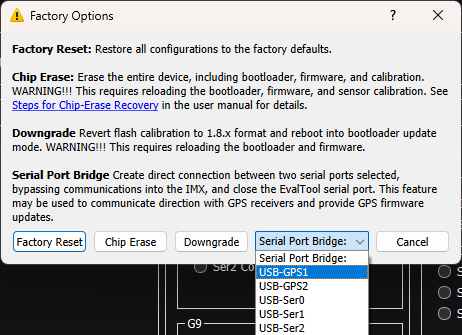
-
Update Using U-Center - With the IMX serial bypass enabled, the u-blox U-Center software can connect directly to the ZED GNSS receiver. Use the following steps in the ublox U-Center app:
- Open the serial port with baudrate 921600.
- Select Tool -> Firmware Update and specify the ublox firmware file (i.e.
UBX_F9_100_HPG132...bin).
- Enable "Use this baudrate for update" as 921600.
- Disable "Enter safeboot before update".
- Enable "Send training sequence".
-
Start the firmware update by pressing the small green "GO" circle in the bottom left corner of the Firmware Update Utility dialog.
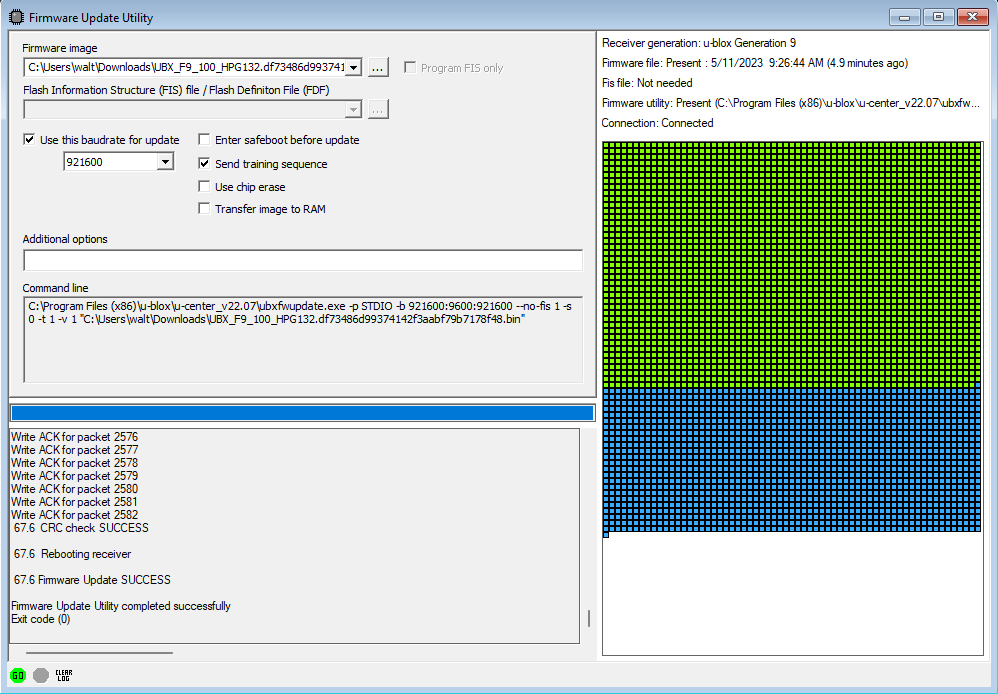
- Power cycle the IMX.
Purchasing the ZED
The following components work well when sourcing ZED receivers and matching antennas for multi-band GNSS installations.
Multi-Band GNSS Components
The following is a list of the ZED GNSS receivers and compatible antenna(s).
| Item | Supplier# | Description |
|---|---|---|
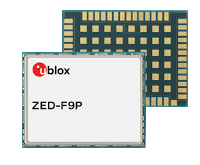 |
ZED-F9P-01B | ublox ZED-F9P high precision GNSS SMT module. GNSS bands: L2OF, L2C, E1B/C, B2I, E5b, L1C/A, L1OF, B1I. Concurrent GNSS: BeiDou, Galileo, GLONASS, GPS / QZSS. RTK 1cm horizontal accuracy. |
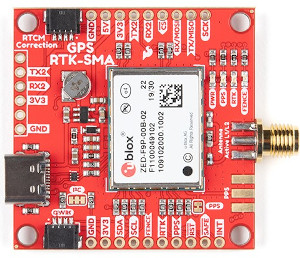 |
GPS-16481 | SparkFun GPS-RTK-SMA breakout board with ZED-F9P GNSS module. |
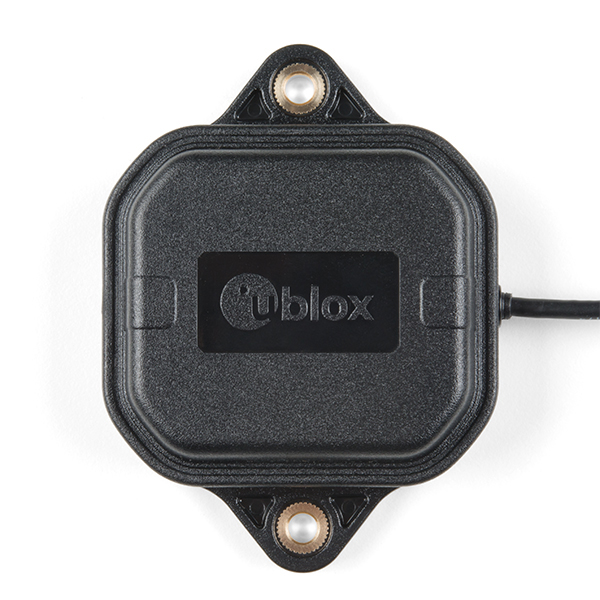 |
SparkFun: ANN-MB-00 ublox: ANN-MB-00 |
ublox Multi‑frequency GNSS antenna (L1, L2/E5b/B2I) active magnet mount. Supports GPS, GLONASS, Galileo, and BeiDou. 5m SMA cable. Designed for ZED-F9P. |
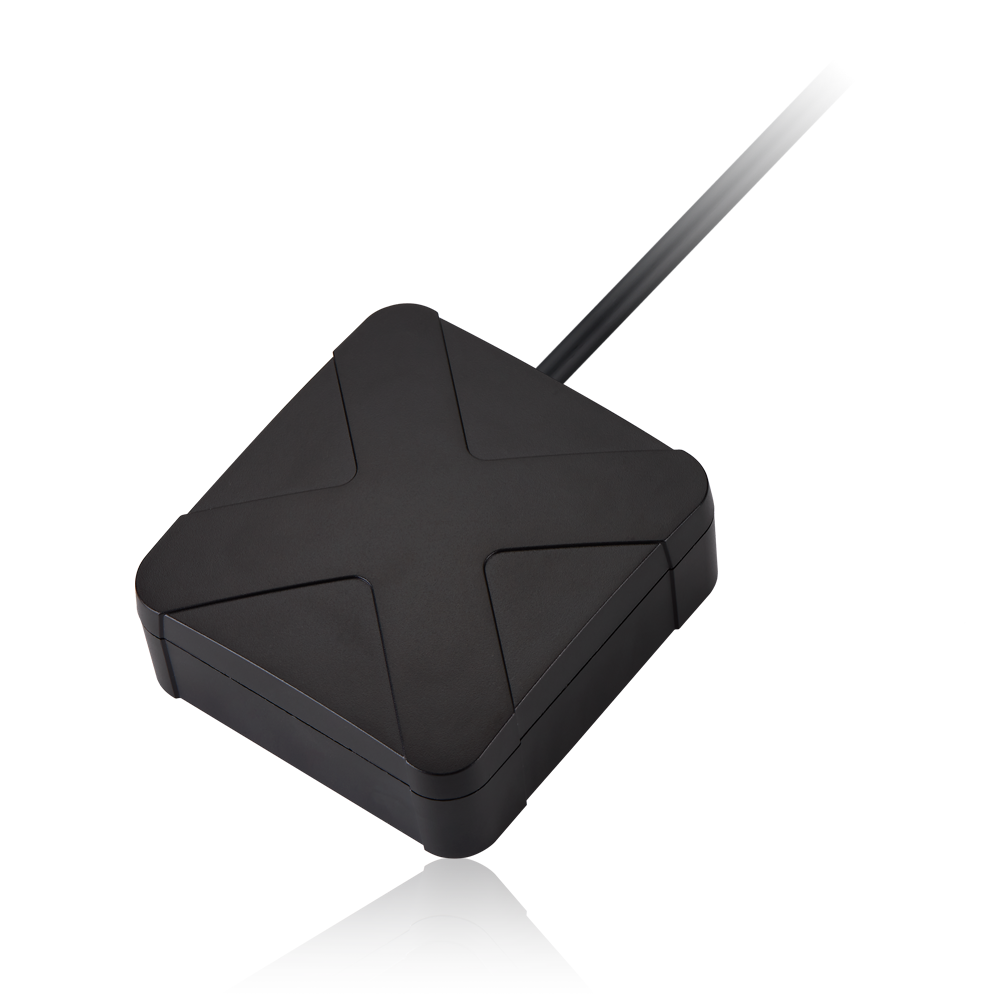 |
AA.200.151111 | Taoglas multi‑band GNSS antenna (GPS/QZSS-L1/L2, GLONASS-G1/G2/G3, Galileo-E1/E5a, and BeiDou-B1/B2) active magnet mount. Supports GPS, GLONASS, Galileo, and BeiDou. 1.5m SMA cable. 63.2 x 67.2 mm. |
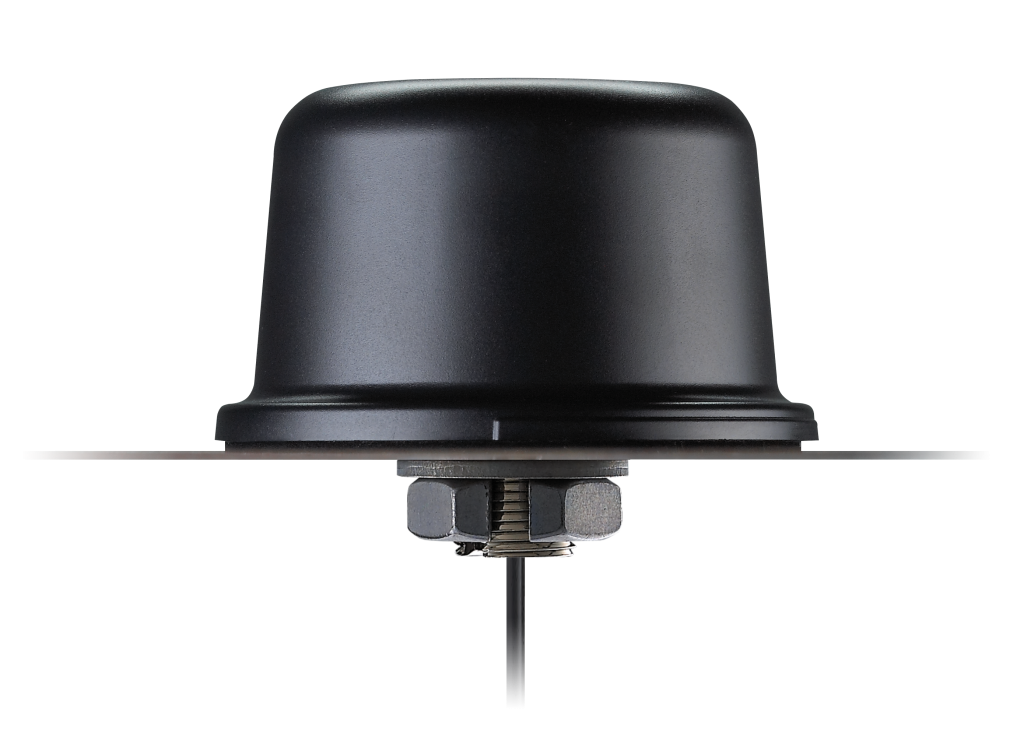 |
QHA.50.A.301111 | Taoglas multi-band GNSS antenna (GPS/QZSS-L1/L2, GPS/QZSS/IRNSS-L5, QZSS-L6, Galileo-E1/E5a/E5b/E6, GLONASS-G1/G2/G3, BeiDou-B1/B2a/B2b/B3). permanent mount. IP67 rated waterproof. 3m RG-174 SMA cable. 94mm (dia). |
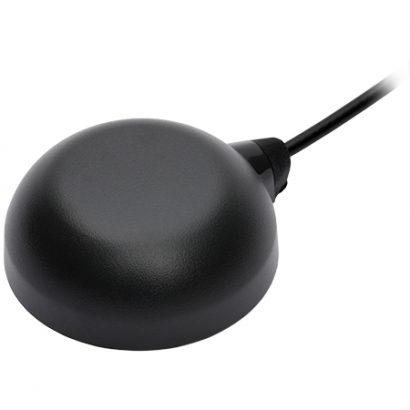 |
TW8889 | Tallysman multi‑band GNSS antenna (GPS/QZSS-L1/L2, GLONASS-G1/G2/G3, Galileo-E1/E5a, and BeiDou-B1/B2) active magnet mount. Supports GPS, GLONASS, Galileo, and BeiDou. 3m SMA cable. 47mm (dia), 52g. |
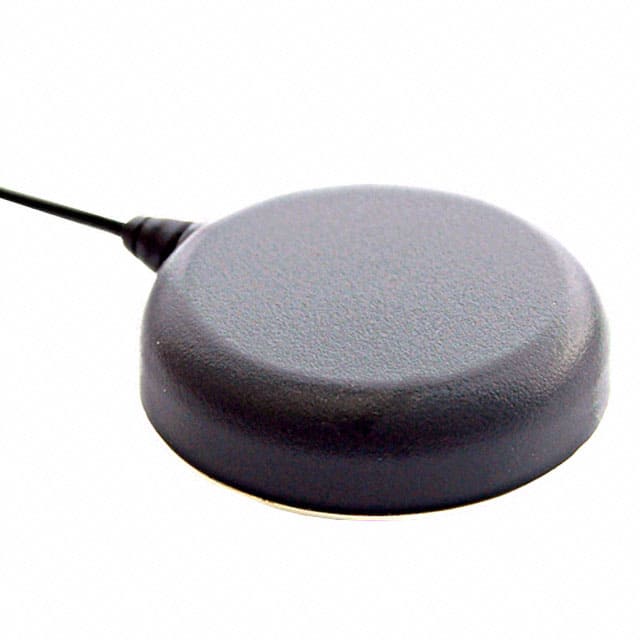 |
TW7882 | Tallysman multi‑band GNSS antenna (GPS/QZSS-L1/L2, GLONASS-G1/G2/G3, Galileo-E1/E5a, and BeiDou-B1/B2) active magnet mount. Supports GPS, GLONASS, Galileo, and BeiDou. 3m SMA cable. 69mm (dia), 180g. |
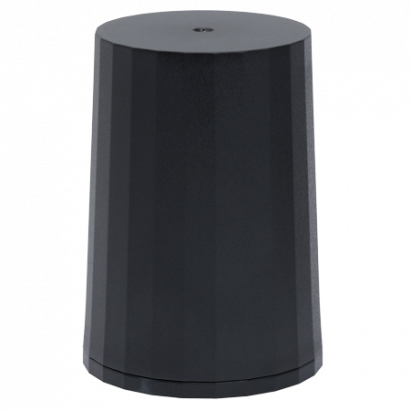 |
HC882 | Tallysman multi‑band helical GNSS antenna (GPS/QZSS-L1/L2, GLONASS-G1/G2/G3, Galileo-E1/E5a, and BeiDou-B1/B2) active magnet mount. Supports GPS, GLONASS, Galileo, and BeiDou. SMA. 44.2mm (dia), 42g. |
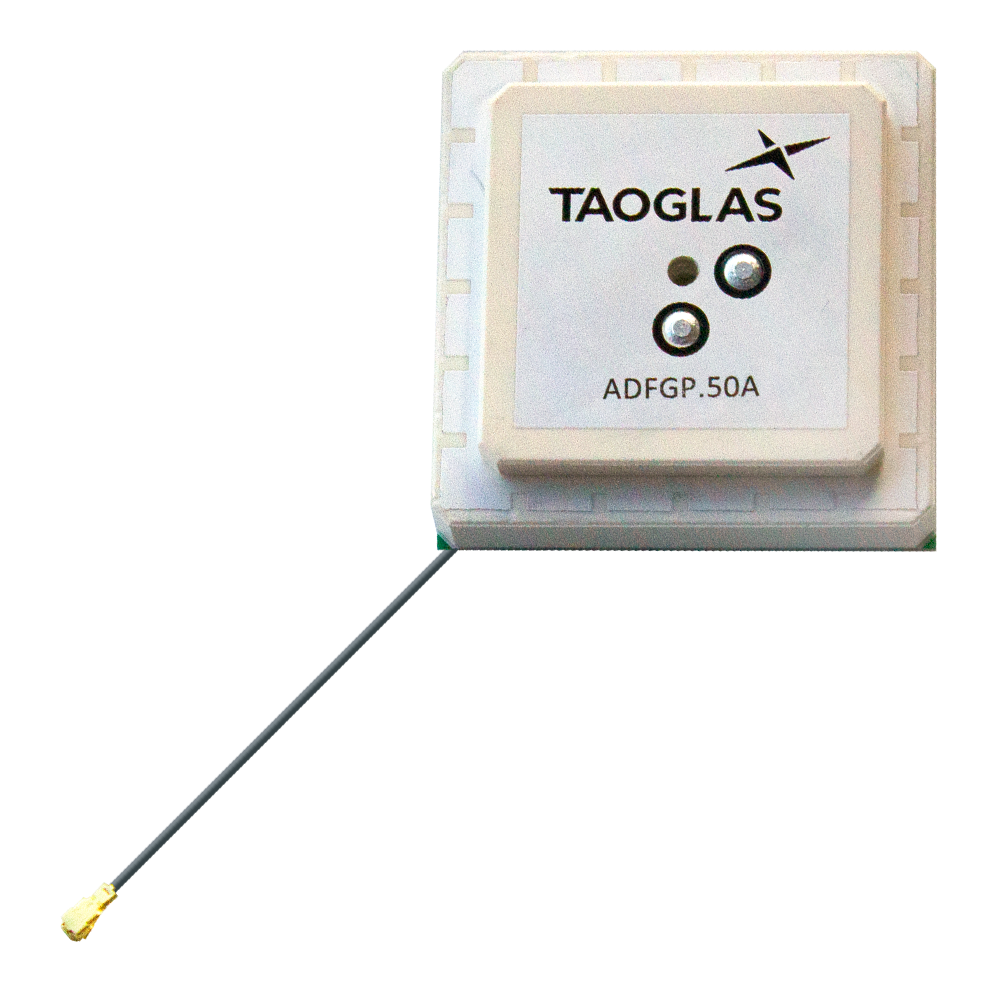 |
ADFGP.50A.07.0100C | Taoglas embedded multi-band GNSS antenna (GPS/QZSS L1/L2, GLONASS G1/G2/G3, Galileo E1/E5a/E5b, BeiDou B1/B2a/B2b). 50x50mm, 95.5g. |
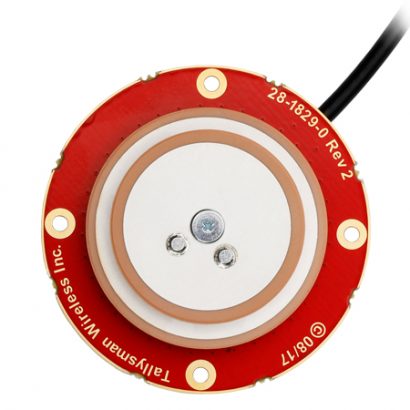 |
TW1889 | Tallysman embedded multi-band GNSS antenna (GPS/QZSS L1/L2, GLONASS G1/G2/G3, Galileo E1/E5b, BeiDou B1/B2). 48mm (dia), 37g. |
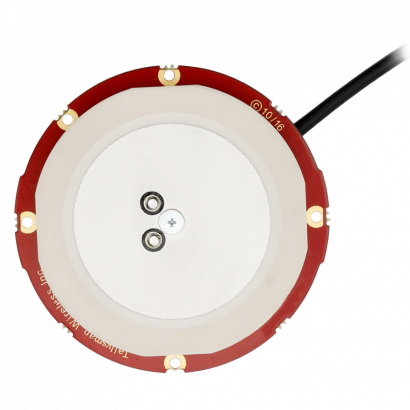 |
TW3887 | Tallysman multi-band GNSS antenna (GPS/QZSS-L1/L2, GLONASS-G1/G2/G3, Galileo-E1/E5a, and BeiDou-B1/B2). 60mm (dia), 70g. |